
If you’re just getting started with SEO, you don’t need expensive tools to do great research. Google itself is packed with hidden tricks, called search operators that can help you understand your website, spy on competitors, and find content opportunities in minutes.
Here are the most useful ones, explained simply.
7 Google Search Tricks for Beginner SEOs
1. Check If Your Website Is on Google
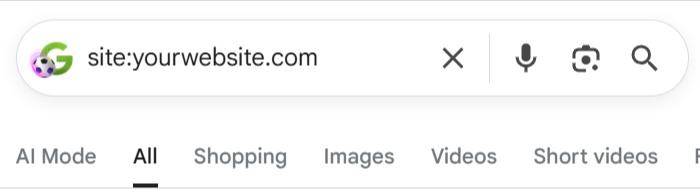
Trick: site:yourwebsite.com
Type this into Google and it shows every page from your site that Google has indexed. If a page isn’t showing up here, Google doesn’t know it exists and neither will your visitors.
Try it: site:example.com
2. Find Out What Your Competitors Are Writing About
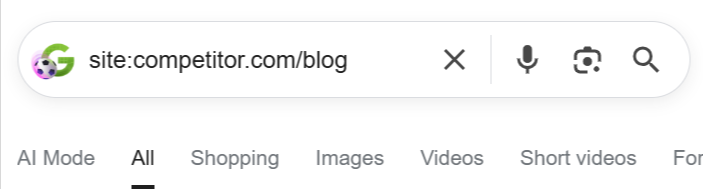
Trick: site:competitor.com/blog
Add a folder path after the domain to see only their blog posts, product pages, or any specific section of their site. It’s a quick way to map out what topics they’re covering.
Try it: site:competitor.com inurl:blog
Want to improve your digital strategy beyond search? Read our blog: 7 Social Media Mistakes Indian Businesses Keep Making (And How to Fix Them)
3. Search for an Exact Phrase
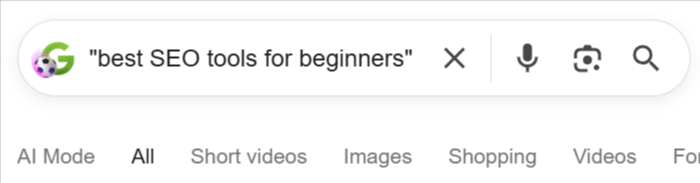
Trick: "your exact phrase"
Putting quotes around words forces Google to show only results with that exact wording. Use this to check how many pages are targeting the same keyword as you.
Try it: "best SEO tools for beginners"
4. Exclude Words You Don’t Want
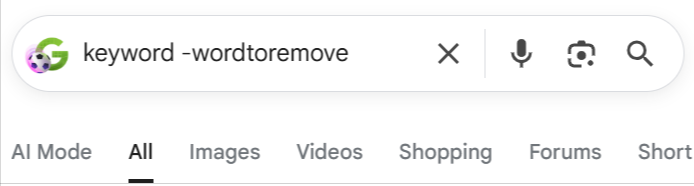
Trick: keyword -wordtoremove
Add a minus sign before any word to remove it from results. Handy when searches are cluttered with unrelated content.
Try it: SEO tips -agency
5. Find Guest Post Opportunities
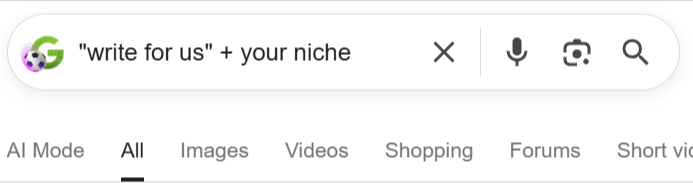
Trick: "write for us" + your niche
This combo finds websites in your industry that accept guest articles a classic way to build backlinks and grow your audience.
Try it: "write for us" digital marketing
6. Discover What Formats Google Likes
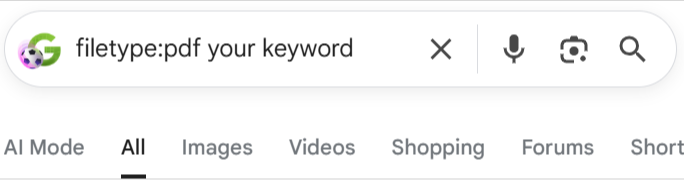
Trick: filetype:pdf your keyword
This shows PDFs ranking for your keyword. If Google is rewarding a particular format (guides, checklists, reports), that’s a content opportunity worth chasing.
Try it: filetype:pdf email marketing tips
7. Use Wildcards to Find Keyword Variations
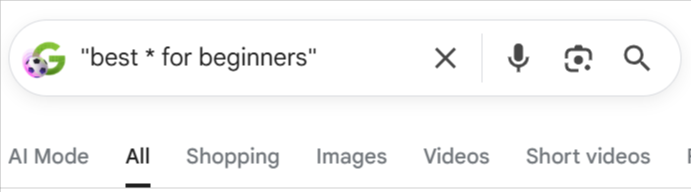
Trick: "best * for beginners"
The asterisk * acts as a wildcard Google fills in the blank. This reveals natural keyword variations you’d never think to search manually.
Try it: "how to * your website traffic"
Putting It All Together
These tricks cost nothing and take seconds to run. Use them to:
- Audit your own site’s indexation
- Research competitor content strategies
- Find link-building targets
- Uncover keyword ideas
Start with site:yourwebsite.com today and see how many of your pages Google actually knows about. You might be surprised.
Common Mistakes SEOs Make With Search Operators
- Using search operators without a clear purpose, which leads to random and unhelpful results.
- Relying only on Google search results instead of checking data in Google Search Console or GA4.
- Using broad queries that bring up irrelevant pages and waste time.
- Forgetting that Google results can vary based on location, personalization, and indexing updates.
- Assuming every indexed page is performing well, even if it has no traffic or rankings.
- Not combining operators properly, such as using site: with inurl: or exact-match quotes.
- Treating search operators as a full SEO strategy instead of a quick research and analysis tool.
Conclusion
Google Search is more powerful than most people realize. These simple search tricks or operators give you a peek behind the curtain of SEO without spending a single rupee on tools.
As a beginner, you don’t need to master everything at once. Start small: check your site’s indexation with site:yourwebsite.com, then gradually experiment with the others as you grow more comfortable.
The best SEO practitioners are curious by nature. The more you explore, the more patterns you’ll spot and the smarter your strategy will become. So open a new tab, try one of these searches right now, and let Google do the heavy lifting.
Your SEO journey starts with a single search. Make it count.
Disclaimer: At http://myinfomint.com/, we are not affiliated with any products or services mentioned in this article. Our aim is to provide accurate, research-backed information for our readers. Readers are advised to conduct their own research before using any tools or services mentioned.