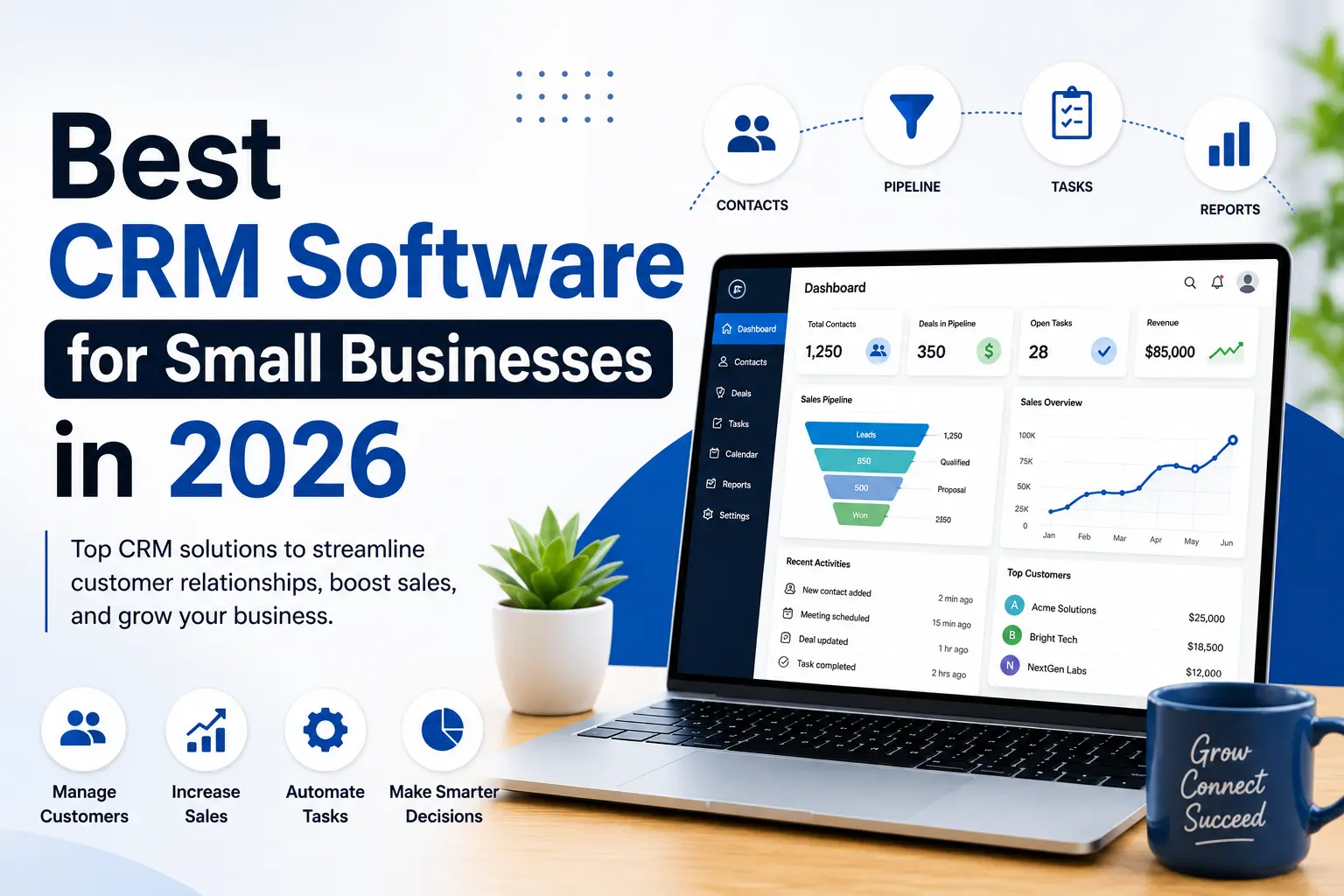
Managing customer relationships is one of the biggest challenges for any growing business. When customer information is scattered across spreadsheets, notebooks, emails, and messaging apps, important follow-ups can easily be missed. Over time, this can lead to lost sales opportunities, poor customer experiences, and slower business growth.
This is where Customer Relationship Management (CRM) software becomes essential.
A Best CRM Software for Small Businesses gives your business one central place to store customer information, track conversations, manage sales pipelines, automate repetitive tasks, and improve customer service. Instead of switching between multiple tools, your sales and support teams can work from a single source of truth.
The CRM market has expanded rapidly over the last few years. Today, there are dozens of options ranging from simple free tools for startups to enterprise-grade platforms with advanced automation, AI features, reporting, and integrations.
Choosing the wrong CRM can waste both time and money. Some platforms are too complex for small businesses, while others may lack the features required as your company grows.
To help you make an informed decision, we’ve compared some of the most popular CRM solutions based on ease of use, core features, scalability, integrations, pricing, and overall value for small businesses.
Quick Comparison
| CRM | Best For | Free Plan | Starting Price* |
| HubSpot CRM | Growing Businesses | ✅ Yes | Paid plans available |
| Zoho CRM | Small Businesses | Trial/Free options available | Paid plans available |
| Salesforce | Large & Scaling Teams | Trial | Paid plans available |
| Pipedrive | Sales Teams | Trial | Paid plans available |
| Monday CRM | Project + CRM | Trial | Paid plans available |
| Freshsales | AI-powered Sales | Trial | Paid plans available |
| ClickUp CRM | Project Management | Free plan available | Paid plans available |
| Insightly | Relationship Management | Trial | Paid plans available |
| Copper CRM | Google Workspace Users | Trial | Paid plans available |
| Capsule CRM | Simplicity | Trial/Free options | Paid plans available |
*Pricing changes over time. Always check the vendor’s official pricing page before purchasing.
Why Need Best CRM Software for Small Businesses
Many business owners believe CRM software is only useful for large corporations. In reality, small businesses often benefit the most because every lead and every customer relationship matters.
A CRM helps you:
- Organize customer information
- Track every sales opportunity
- Schedule follow-ups
- Automate repetitive tasks
- Improve customer communication
- Measure sales performance
- Increase team productivity
- Build stronger customer relationships
Instead of searching through emails or spreadsheets, your team can instantly access a customer’s history, previous conversations, quotations, and ongoing deals.
How We Evaluated CRM Software
We didn’t rank CRM platforms based on popularity alone.
Instead, we looked at the factors that matter most for small businesses.
Ease of Use
A CRM should help your business not slow it down.
We prioritized platforms with intuitive dashboards, simple navigation, and a shorter learning curve.
Sales Features
A good CRM should include:
- Contact management
- Lead tracking
- Sales pipeline management
- Deal stages
- Task reminders
- Activity history
- Email tracking
Automation
Automation saves valuable time.
We considered features such as:
- Workflow automation
- Email automation
- Lead assignment
- Follow-up reminders
- Notification systems
Integrations
Most businesses already use tools like email, calendars, accounting software, customer support platforms, and marketing applications.
The best CRM systems integrate smoothly with these existing workflows.
Reporting
Business owners need visibility into performance.
Useful reports include:
- Sales performance
- Conversion rates
- Revenue forecasting
- Team activity
- Pipeline health
Value for Money
Price matters, but value matters more.
We focused on CRM platforms that provide useful features without unnecessary complexity.
Who Should Use CRM Software?
CRM software isn’t only for sales teams.
It can benefit almost every business.
- Small Business Owners: Track customers, follow-ups, and sales opportunities without relying on spreadsheets.
- Freelancers: Manage clients, proposals, invoices, and communication from one place.
- Marketing Agencies: Monitor leads, client projects, meetings, and campaign progress.
- Real Estate Agents: Track buyers, sellers, property inquiries, appointments, and negotiations.
- Insurance Agencies: Organize policy renewals, customer information, reminders, and claims follow-ups.
- Consultants: Manage prospects, contracts, meetings, and ongoing client relationships efficiently.
HubSpot CRM
Overview
HubSpot CRM is one of the most widely used CRM platforms for small businesses, startups, and growing companies. Its user-friendly interface, generous free plan, and extensive ecosystem make it a popular starting point for businesses that want to organize contacts and improve sales processes without a steep learning curve.
As your business grows, additional marketing, sales, customer service, and automation features can be added through HubSpot’s broader platform.
Why We Picked It
We selected HubSpot CRM because it combines ease of use with a feature-rich free offering.
For many small businesses, it provides enough functionality to get started without requiring an immediate financial investment.
Best Features
- Contact management
- Deal pipeline
- Company records
- Email tracking
- Meeting scheduling
- Task management
- Live chat
- Forms
- Reporting dashboard
- Marketing integrations
Pros
✔ Beginner-friendly interface
✔ Strong free plan
✔ Scales as your business grows
✔ Large integration ecosystem
✔ Excellent knowledge base and support resources
Cons
✘ Some advanced automation and reporting features are available only on higher-tier plans.
✘ Costs can increase as additional premium features are added.
Best For
- Startups
- Small businesses
- Marketing agencies
- B2B companies
- Service-based businesses
- Growing sales teams
Who Should Avoid It?
Businesses that need advanced enterprise-level customization from day one may find other platforms more suitable, depending on their requirements.
Our Rating
| Category | Score |
| Ease of Use |
10/10 |
| Features |
9.8/10 |
| Automation |
9.4/10 |
| Reporting |
9.5/10 |
| Value for Money |
9.8/10 |
| Overall Rating |
9.7/10 |
HubSpot CRM is an excellent starting point for small businesses that want a modern, easy-to-use CRM with room to grow. Its free capabilities make it especially attractive for companies that are implementing CRM software for the first time.
Read this Blog: Best AI Writing Tools for Small Businesses
Zoho CRM
Overview
Zoho CRM is a popular choice for small and medium-sized businesses looking for an affordable CRM with powerful customization options. It is part of the larger Zoho ecosystem, which includes accounting, email, help desk, project management, and marketing applications.
If your business wants multiple business tools under one platform, Zoho CRM is worth considering.
Why We Picked It
Zoho CRM offers an excellent balance between price, features, and scalability. Businesses can start with basic functionality and expand as their needs grow.
Best Features
- Contact management
- Sales pipeline
- Workflow automation
- Email integration
- Lead scoring
- AI-powered assistant (selected plans)
- Reports and dashboards
- Mobile application
Pros
✔ Affordable pricing
✔ Excellent customization
✔ Large business software ecosystem
✔ Suitable for growing companies
Cons
✘ Interface can feel overwhelming for first-time CRM users.
✘ Some advanced features are available only in higher-tier plans.
Best For
- Startups
- Agencies
- Service businesses
- Sales teams
- Businesses already using other Zoho products
Our Rating
| Category | Score |
| Ease of Use |
9.2/10 |
| Features |
9.6/10 |
| Automation |
9.5/10 |
| Reporting |
9.4/10 |
| Overall |
9.4/10 |
Salesforce
Overview
Salesforce is one of the world’s best-known CRM platforms. It offers extensive customization, automation, analytics, and integrations that support businesses ranging from startups to large enterprises.
While it is extremely capable, it may require more setup and training than simpler CRM systems.
Why We Picked It
Salesforce is ideal for businesses planning long-term growth and requiring advanced CRM capabilities.
Best Features
- Advanced automation
- AI-powered insights
- Sales forecasting
- Opportunity management
- Custom dashboards
- Extensive integrations
- Enterprise scalability
Pros
✔ Extremely powerful
✔ Highly customizable
✔ Excellent reporting
✔ Large partner ecosystem
Cons
✘ Higher learning curve
✘ Premium pricing compared to many small-business CRM platforms
Best For
- Growing companies
- Enterprise teams
- B2B organizations
- Large sales departments
Our Rating
| Category | Score |
| Ease of Use |
8.8/10 |
| Features |
10/10 |
| Automation |
10/10 |
| Reporting |
10/10 |
| Overall |
9.5/10 |
Pipedrive
Overview
Pipedrive is designed with sales teams in mind. Its visual pipeline makes it easy to track deals from the first contact to a successful sale.
Instead of overwhelming users with unnecessary features, Pipedrive focuses on helping sales representatives close more deals.
Best Features
- Visual sales pipeline
- Deal tracking
- Email synchronization
- Workflow automation
- Activity reminders
- Sales reporting
Pros
✔ Extremely easy to use
✔ Excellent sales pipeline
✔ Great for beginners
✔ Fast setup
Cons
✘ Limited marketing functionality compared to broader CRM platforms
Best For
- Sales teams
- Consultants
- Agencies
- Small businesses focused on lead management
Our Rating
Overall: 9.4/10
Monday CRM
Overview
Monday CRM combines customer relationship management with project management, making it attractive for businesses that manage both sales and project delivery.
The highly visual interface helps teams organize work without needing multiple disconnected tools.
Best Features
- Custom workflows
- Sales tracking
- Project collaboration
- Dashboards
- Automation
- Team management
Pros
✔ Modern interface
✔ Flexible workflows
✔ Strong collaboration features
Cons
✘ Some advanced features require higher-tier subscriptions
Best For
- Marketing agencies
- Software companies
- Creative teams
- Professional services
Our Rating
Overall: 9.3/10
Freshsales
Overview
Freshsales is part of the Freshworks product family and is built to help businesses manage leads, automate sales processes, and improve customer communication.
Its AI-powered features help sales teams prioritize leads and monitor performance more effectively.
Best Features
- Lead management
- Built-in communication tools
- Workflow automation
- Sales reports
- AI-assisted insights
Pros
✔ Clean interface
✔ Good automation
✔ Helpful sales features
Cons
✘ Some integrations require paid plans
Best For
- SaaS businesses
- Service providers
- Sales teams
Our Rating
Overall: 9.2/10
ClickUp CRM
Overview
Although ClickUp is widely known as a project management platform, it can also be configured as a CRM.
Businesses already using ClickUp for task management often appreciate having customer and project information in one place.
Best Features
- Custom fields
- Task management
- Dashboards
- Automations
- Team collaboration
Pros
✔ Excellent flexibility
✔ Combines CRM and project management
✔ Strong productivity features
Cons
✘ Initial setup requires planning
Best For
- Agencies
- Startups
- Project-based businesses
Our Rating
Overall: 9.1/10
Insightly
Overview
Insightly combines CRM with project management features, making it useful for businesses that continue working with customers after the initial sale.
Best Features
- Contact management
- Pipeline tracking
- Project management
- Workflow automation
- Reporting
Pros
✔ Good customer lifecycle management
✔ Clean interface
✔ Strong reporting
Cons
✘ Smaller integration ecosystem than some competitors
Best For
- Consulting firms
- Agencies
- Professional service providers
Our Rating
Overall: 9.0/10
Read this Blog: Best AI Image Generators
Copper CRM
Overview
Copper CRM is designed for businesses that rely heavily on Google Workspace. It integrates closely with Gmail, Google Calendar, and Google Drive, helping teams work without constantly switching between applications.
Best Features
- Gmail integration
- Calendar synchronization
- Contact management
- Sales pipeline
- Workflow automation
Pros
✔ Excellent Google Workspace integration
✔ Easy adoption
✔ Good productivity features
Cons
✘ Best suited to businesses already committed to Google’s ecosystem
Best For
- Google Workspace users
- Agencies
- Consultants
- Small teams
Our Rating
Overall: 9.0/10
Capsule CRM
Overview
Capsule CRM focuses on simplicity. It avoids unnecessary complexity while still providing essential CRM features for businesses that need an easy way to organize contacts and sales opportunities.
Best Features
- Contact management
- Sales pipeline
- Task management
- Notes
- Reporting
Pros
✔ Beginner friendly
✔ Simple interface
✔ Quick implementation
Cons
✘ Limited advanced automation compared to larger CRM platforms
Best For
- Freelancers
- Small businesses
- Startups
Our Rating
Overall: 8.9/10
Side-by-Side CRM Comparison
| CRM | Ease of Use | Automation | Reporting | Best For | Overall |
| HubSpot CRM | ⭐⭐⭐⭐⭐ | ⭐⭐⭐⭐☆ | ⭐⭐⭐⭐⭐ | Beginners | 9.7/10 |
| Salesforce | ⭐⭐⭐⭐☆ | ⭐⭐⭐⭐⭐ | ⭐⭐⭐⭐⭐ | Enterprise Growth | 9.5/10 |
| Zoho CRM | ⭐⭐⭐⭐☆ | ⭐⭐⭐⭐⭐ | ⭐⭐⭐⭐☆ | Value for Money | 9.4/10 |
| Pipedrive | ⭐⭐⭐⭐⭐ | ⭐⭐⭐⭐☆ | ⭐⭐⭐⭐☆ | Sales Teams | 9.4/10 |
| Monday CRM | ⭐⭐⭐⭐⭐ | ⭐⭐⭐⭐☆ | ⭐⭐⭐⭐☆ | Agencies | 9.3/10 |
| Freshsales | ⭐⭐⭐⭐☆ | ⭐⭐⭐⭐☆ | ⭐⭐⭐⭐☆ | Sales Automation | 9.2/10 |
| ClickUp CRM | ⭐⭐⭐⭐☆ | ⭐⭐⭐⭐☆ | ⭐⭐⭐⭐☆ | Project-Based Teams | 9.1/10 |
| Insightly | ⭐⭐⭐⭐☆ | ⭐⭐⭐⭐☆ | ⭐⭐⭐⭐☆ | Consultants | 9.0/10 |
| Copper CRM | ⭐⭐⭐⭐☆ | ⭐⭐⭐⭐☆ | ⭐⭐⭐⭐☆ | Google Workspace | 9.0/10 |
| Capsule CRM | ⭐⭐⭐⭐⭐ | ⭐⭐⭐☆☆ | ⭐⭐⭐☆☆ | Small Teams | 8.9/10 |
After comparing ten leading CRM platforms, it’s clear there isn’t a single “best” CRM for every business.
- HubSpot CRM stands out for beginners and growing companies.
- Zoho CRM delivers excellent value and flexibility.
- Salesforce offers unmatched enterprise capabilities.
- Pipedrive excels for sales-focused teams.
- Monday CRM is ideal for businesses managing both projects and customer relationships.
The best CRM is the one that matches your team’s workflow, budget, and long-term growth plans not simply the platform with the longest feature list.
Free vs Paid CRM Software
Many small business owners ask the same question:
“Do I really need a paid CRM?”
The answer depends on your business size, sales process, and future growth plans.
A Free CRM Is Best If You:
- Are starting a new business
- Have a small sales team
- Manage fewer than 500–1,000 contacts
- Need basic contact management
- Want to organize leads in one place
- Have a limited budget
Platforms such as HubSpot CRM and some other providers offer free plans that can be a good starting point for many businesses.
A Paid CRM Is Worth It If You:
- Have multiple sales representatives
- Need workflow automation
- Want detailed reporting
- Need email sequences and lead scoring
- Require integrations with accounting or marketing software
- Want AI-powered sales insights
For growing businesses, the time saved through automation often justifies the investment.
How to Choose the Right CRM
Before purchasing any CRM, ask yourself these questions.
1. How many users will use the CRM?
Some platforms charge per user, while others offer team-based pricing.
Understanding your expected team size helps estimate long-term costs.
2. What is your sales process?
If your business mainly handles:
- Phone calls
- Emails
- Meetings
- Website leads
- WhatsApp inquiries
choose a CRM that supports your primary communication channels and workflow.
3. Do you need automation?
Automation can include:
- Automatic follow-up reminders
- Lead assignment
- Email sequences
- Deal stage updates
- Task creation
Businesses with a steady flow of leads often benefit from these features.
4. Does it integrate with your existing tools?
Look for integrations with tools your team already uses, such as:
- Email services
- Calendars
- Accounting software
- Marketing platforms
- Customer support software
Reducing manual data entry improves productivity.
5. Can the CRM grow with your business?
Changing CRM systems later can be time-consuming.
Choose a platform that can support your business as it expands.
Common CRM Mistakes
Buying CRM software is only the first step.
Many businesses fail to see results because of avoidable mistakes.
Mistake #1 – Choosing Too Many Features
A complex CRM with features your team never uses may slow adoption.
Start with the tools you actually need.
Mistake #2 – Not Training Employees
Even the best CRM won’t deliver results if your team doesn’t use it consistently.
Provide onboarding and clear processes.
Mistake #3 – Poor Data Quality
Duplicate records, outdated information, and incomplete contact details reduce the value of any CRM.
Regularly clean your database.
Mistake #4 – Ignoring Reports
CRMs provide valuable insights into:
- Sales performance
- Pipeline health
- Conversion rates
- Team productivity
Review reports regularly to identify opportunities for improvement.
Mistake #5 – Never Reviewing Your CRM
Business needs change over time.
Review your CRM setup periodically to ensure it still matches your sales process.
Our Top Recommendations
Best Overall CRM
HubSpot CRM
Why?
- Beginner friendly
- Strong free plan
- Easy setup
- Scalable platform
- Large integration ecosystem
Best Budget CRM
Zoho CRM
Why?
- Competitive pricing
- Rich feature set
- Good customization
- Suitable for growing businesses
Best CRM for Sales Teams
Pipedrive
Why?
- Visual pipeline
- Simple interface
- Sales-focused features
- Fast implementation
Best Enterprise CRM
Salesforce
Why?
- Extensive customization
- Advanced automation
- Comprehensive reporting
- Scales for large organizations
Best CRM for Agencies
Monday CRM
Why?
- Flexible workflows
- Team collaboration
- Project and CRM management in one platform
Final Verdict
A CRM is more than a contact database it’s a tool that helps businesses build stronger customer relationships, improve sales processes, and make better decisions.
For many small businesses, HubSpot CRM offers an excellent combination of ease of use, useful features, and room to grow.
If affordability is your top priority, Zoho CRM is a strong contender.
If your business is sales-driven, Pipedrive deserves serious consideration.
Larger organizations with advanced requirements may find Salesforce the right long-term investment.
The best CRM is the one your team will actually use every day.
Conclusion
The right CRM software can help your business stay organized, improve customer relationships, and support long-term growth. Rather than choosing the platform with the most features, focus on the one that fits your team’s workflow, budget, and future plans. Start with a free trial or free plan if available, involve your team during evaluation, and review your setup regularly to ensure your CRM continues to support your business goals.